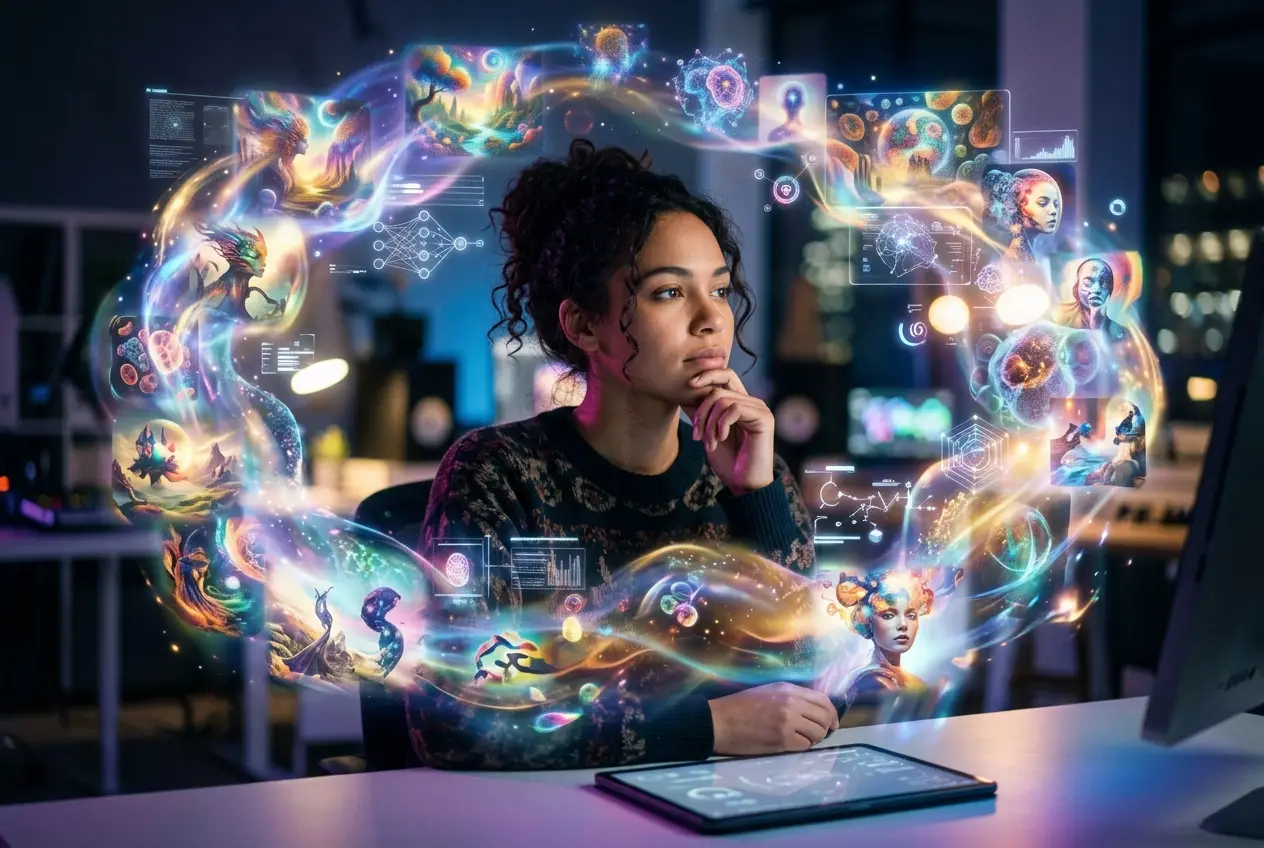
You've hit "generate" countless times, full of anticipation. The AI whirs, then presents an image. It's... fine. It's technically competent. But it also looks like a dozen other AI images you've seen online. It's generic. It lacks that spark, that unique touch that screams your vision.
If this sounds familiar, you're not alone. Many of us are stuck in the "generic AI art trap," churning out visuals that feel safe, predictable, and frankly, a bit boring. I've been there, staring at an image wondering why it never quite matched the vibrant, specific scene I had in my head.
But here’s the secret: it's not the AI's fault. It's how we're talking to it. Most people are only tapping into a fraction of an AI's creative potential because they’re using prompts that are too broad, too common, or simply not specific enough. You can break free from the generic. Your AI images can be unique, distinctive, and truly reflect your creative intent.
The Generic Trap: Why Your AI Images All Look the Same
Think about how AI models learn. They're trained on massive datasets of images and their corresponding text descriptions. When you give it a simple prompt like "a dog in a park," the AI accesses the most common, statistically probable representation of that phrase. It aims for the average. And the average, by definition, is generic.
This is why your AI image looks like a stock photo from 2009, even when you're aiming for something cutting-edge. The AI isn't trying to be unoriginal; it's simply giving you what it understands as the most typical interpretation of your input. If you want unique, you need to prompt for unique.
Beyond Keywords: The Art of Specificity
Moving past generic images starts with understanding that your prompt isn't just a list of keywords. It's a canvas where you paint with words. Every detail you add, every nuance you describe, acts like a brushstroke, guiding the AI away from the bland and towards your specific vision.
Layering Detail: Building Richer Scenes
Instead of just listing objects, think about the environment, the mood, the lighting, the time of day, and even the camera's perspective. These layers transform a basic concept into a vivid scene.
Imagine you want an image of a "futuristic city." That's a good start, but it’s still highly generic. Now, let’s add layers:
- Environment: "Neon-lit cyberpunk alleyway"
- Time/Weather: "Dusk, with a misty rain"
- Mood: "Gritty, dystopian, bustling"
- Camera Angle: "Low angle, wide shot"
- Focal Point: "A lone figure walking towards glowing holographic advertisements"
Combine these, and suddenly, you have a much more distinctive scene for the AI to interpret. This is why adding "cinematic lighting" or "golden hour" in your prompts often changes everything; you're not just describing what is there, but how it's perceived.
/imagine prompt: A lone figure walking down a neon-lit cyberpunk alleyway at dusk, misty rain reflecting the glowing holographic advertisements, gritty dystopian atmosphere, low angle wide shot, cinematic lighting, ultra-detailed
The Power of Negative Prompting
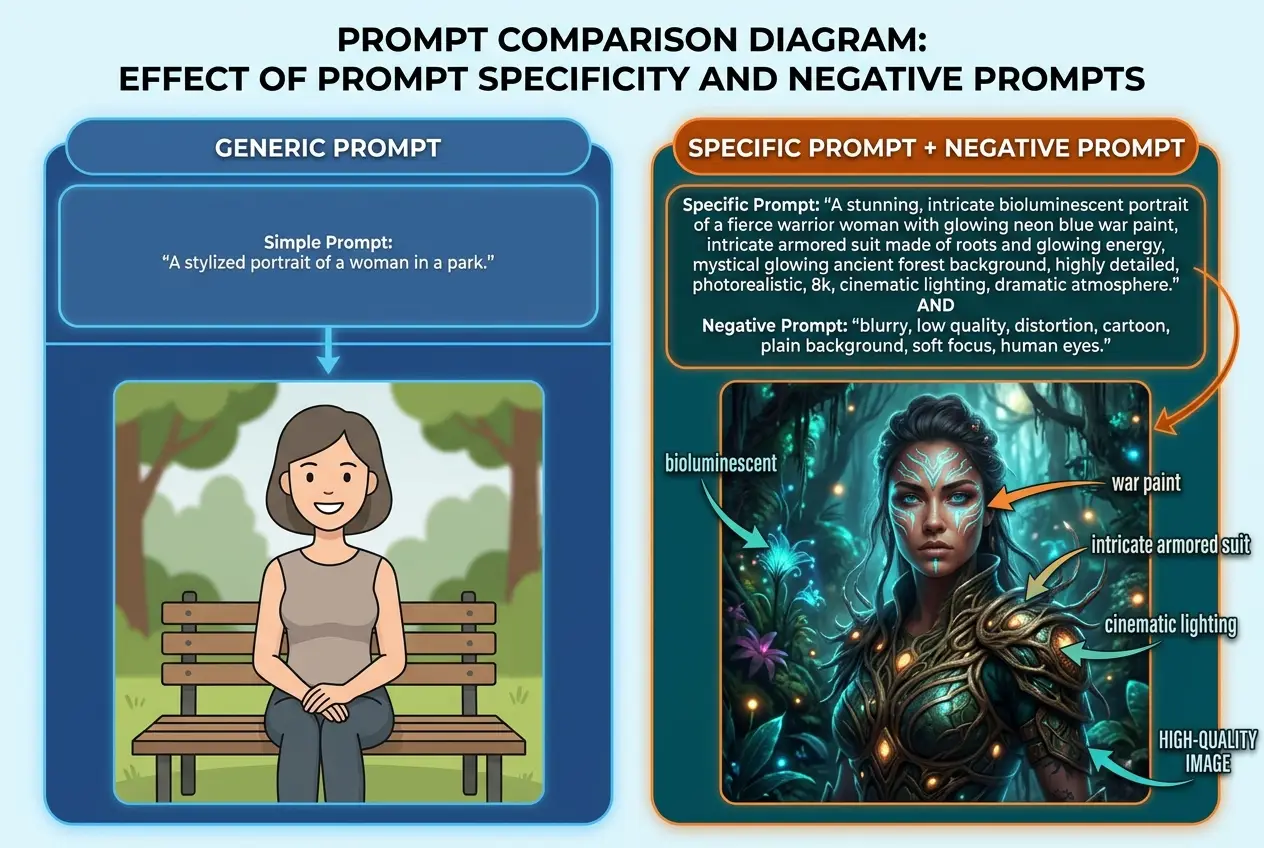
Specificity isn't just about what you want the AI to include; it's also about what you don't want. This is where negative prompting comes in. A negative prompt tells the AI to actively avoid certain elements or qualities. It’s like sculpting by removing material rather than adding it.
Many common AI image issues stem from the model trying to fill in gaps with its most common, often undesirable, interpretations. Think of negative prompts as a filter for generic attributes. You might be surprised at how much better your results get simply by telling the AI to not be "blurry" or "uninspired."
Common elements to negative prompt:
blurry, low quality, deformed, malformed, bad anatomy, ugly, boring, uninspired, cropped, watermark, signature- For specific scenes:
daylight, modern, clean, smooth, cartoon(if you want gritty realism)
/imagine prompt: A majestic dragon soaring over a rugged mountain range, volcanic ash cloud in the distance, dramatic lighting, fantasy art, oil painting, highly detailed --no blurry, cartoon, low resolution, ugly, simple
For more in-depth knowledge about crafting effective prompts, you might find this post helpful: You've Been Prompting AI Wrong This Whole Time.
 Stop Generic AI Art: Your Images Can Be Unique
Mastering AI Art Styles and Influences
One of the quickest ways to elevate your AI art from generic to gallery-worthy is by incorporating specific artistic styles, movements, and photographic techniques. The AI has seen millions of examples of these, and it can brilliantly mimic or blend them.
Weaving in Artistic Styles and Movements
Don't just say "artistic." Be specific! Do you want something reminiscent of the Renaissance, with its classical proportions and rich colors? Or perhaps the wild, expressive brushstrokes of Impressionism? You can also refer to modern movements like Surrealism or even digital art subgenres like Cyberpunk.
For example:
- "in the style of [famous artist]" (e.g., "in the style of Van Gogh, thick impasto brushstrokes")
- "inspired by [art movement]" (e.g., "inspired by Art Nouveau posters, flowing lines, organic forms")
- "concept art by [specific studio/artist]" (e.g., "concept art by Studio Ghibli, whimsical, ethereal lighting")
This is why your AI art never quite captures the mood you imagine; you haven't given it the stylistic vocabulary it needs. Learning about different art movements can significantly expand your prompting toolkit.
Embracing Diverse Photographic Techniques
AI image generation isn't just for fantastical art; it excels at photography too. Just like a professional photographer, you can control the "camera" through your prompts.
Consider:
- Lens: "wide-angle lens," "macro shot," "telephoto perspective"
- Depth of Field: "shallow depth of field," "bokeh effect," "sharp focus"
- Film Stock/Processing: "Kodachrome film," "noir film grain," "sepia tone"
- Lighting: "rim lighting," "softbox lighting," "backlighting," "chiaroscuro"
These technical terms give the AI precise instructions on how to render the visual qualities of your image, moving it far beyond a simple digital illustration.
Iteration and Refinement: The Secret Sauce
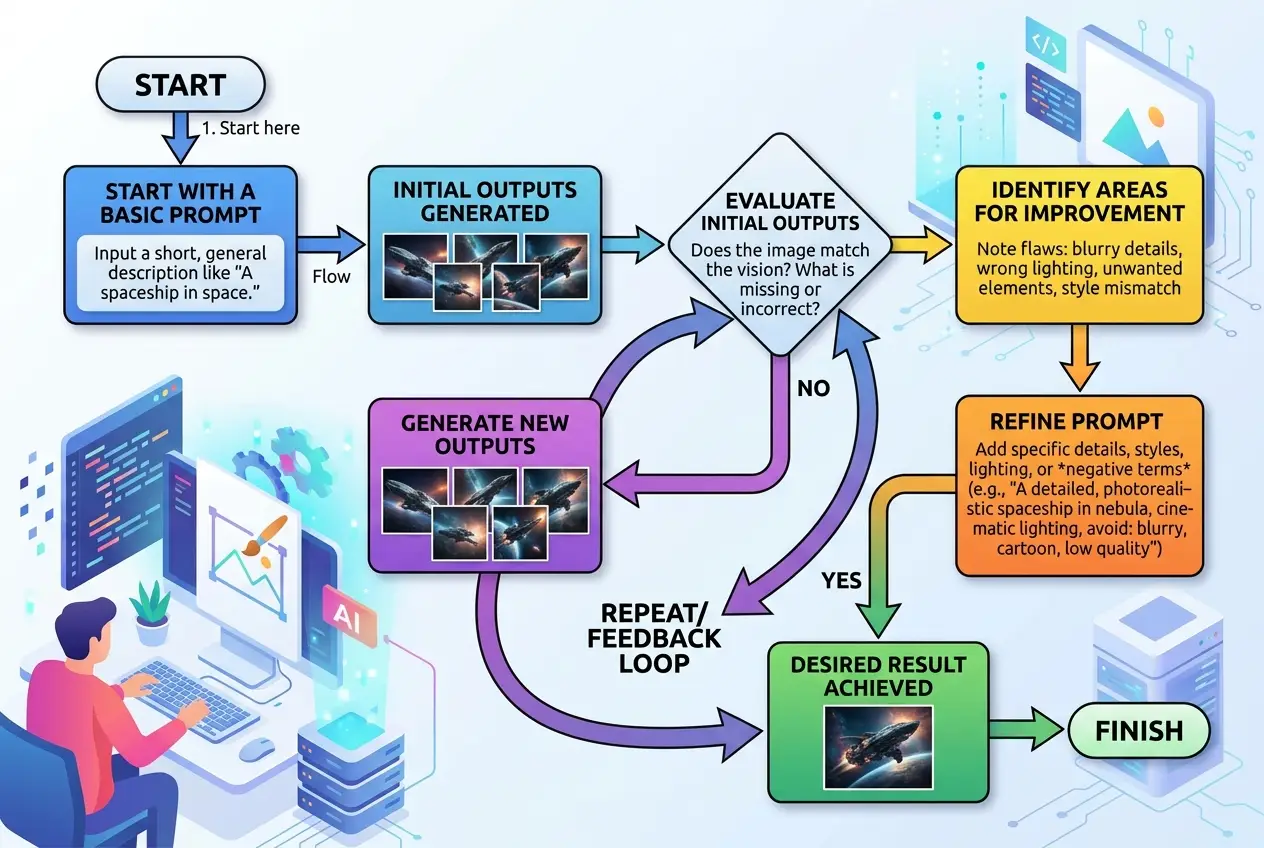
The first image an AI generates is rarely the best. True mastery of AI art involves an iterative process of generating, evaluating, and refining. Think of it as a dialogue: you prompt, the AI responds, you adjust your prompt based on the response, and so on.
I often find myself generating several variations of an initial prompt, picking the best one, and then subtly altering one or two elements (like a lighting change or a different adjective) to push it closer to my vision. This incremental adjustment is crucial for escaping generic outputs.
This multi-step approach ensures you're not settling for "good enough" but actively guiding the AI towards excellence. It mirrors the concept of iterative design in traditional creative fields. For more on managing complex AI projects, check out Mastering Multi-Step AI Projects.
 Stop Generic AI Art: Your Images Can Be Unique
Beyond Text: Multi-Modal Approaches
Some advanced AI platforms allow you to go beyond just text prompts. This is where multi-modal capabilities truly shine. You might be able to provide:
- Image-to-Image Prompts: Start with an existing image (even a rough sketch) and ask the AI to transform it or use it as a stylistic reference.
- ControlNet-style Inputs: Provide a pose reference, a depth map, or a segmentation map to give the AI precise structural control over the output.
This is why your teammate's AI output looks better than yours — they might be using hidden visual cues alongside their text prompts. Integrating visual inputs with your text prompts can unlock an entirely new level of specificity and control, moving you firmly away from generic outputs. Understanding multimodal learning reveals how AI processes such diverse information to create richer content.
Start Making Unique AI Art
The journey from generic AI art to truly unique visuals is a rewarding one. It requires a shift in mindset: seeing your prompts not as commands, but as detailed blueprints for the AI's creativity. Embrace specificity, leverage negative prompts, explore artistic styles, and commit to an iterative refinement process.
Your AI tools are capable of incredible originality. It's up to you to unlock it. If you're already using AI daily, one workflow change this week could save you hours and transform your creative output. Start with the smallest one: add a specific lighting condition or a negative prompt to your next image generation. You might just surprise yourself.
Frequently asked questions
How do I find good style references or artists to use in my prompts?
Can I combine multiple art styles in one prompt?
What if my AI model keeps ignoring certain details in my prompt?
Are there ethical considerations when using specific artists' styles?
How much detail is *too much* detail in a prompt?
We build VirtuaChat and write about getting real work done with AI — prompting, models, images and audio.