
You paste the same prompt you used yesterday. The AI gives you something completely different. Or worse, you’re deep into a complex task, and suddenly, the AI acts like it’s forgotten the last three turns of the conversation. What just happened?
This is the silent frustration of many AI users: the dreaded context fade. We treat AI like a magic box, expecting it to remember everything, every time. But the truth is, AI's memory isn't infinite, and the way we interact with it often encourages it to "forget" crucial details. I’ve seen countless projects derail because a critical instruction was lost in the conversational ether. This isn't just an inconvenience; it's a productivity killer.
Why Your AI "Forgets" (It's Not Being Rude)
Let’s be clear: AI isn't forgetting in the human sense. It's more about how its underlying architecture processes and retains information within a given interaction. Most large language models (LLMs) have a "context window"—a limited space where they hold the current conversation and process it. Think of it like a whiteboard. When the whiteboard gets full, older information gets erased to make room for new input.
This is why your AI seems to drift off topic or ignore previous instructions in longer conversations. The critical details simply scrolled off the whiteboard. If you're building a multi-part project, like drafting a detailed business plan or developing a complex piece of code, this limited context can quickly become a roadblock. It's a fundamental challenge in natural language processing that many users encounter daily.
The Fatal Flaw: One-Off Prompting
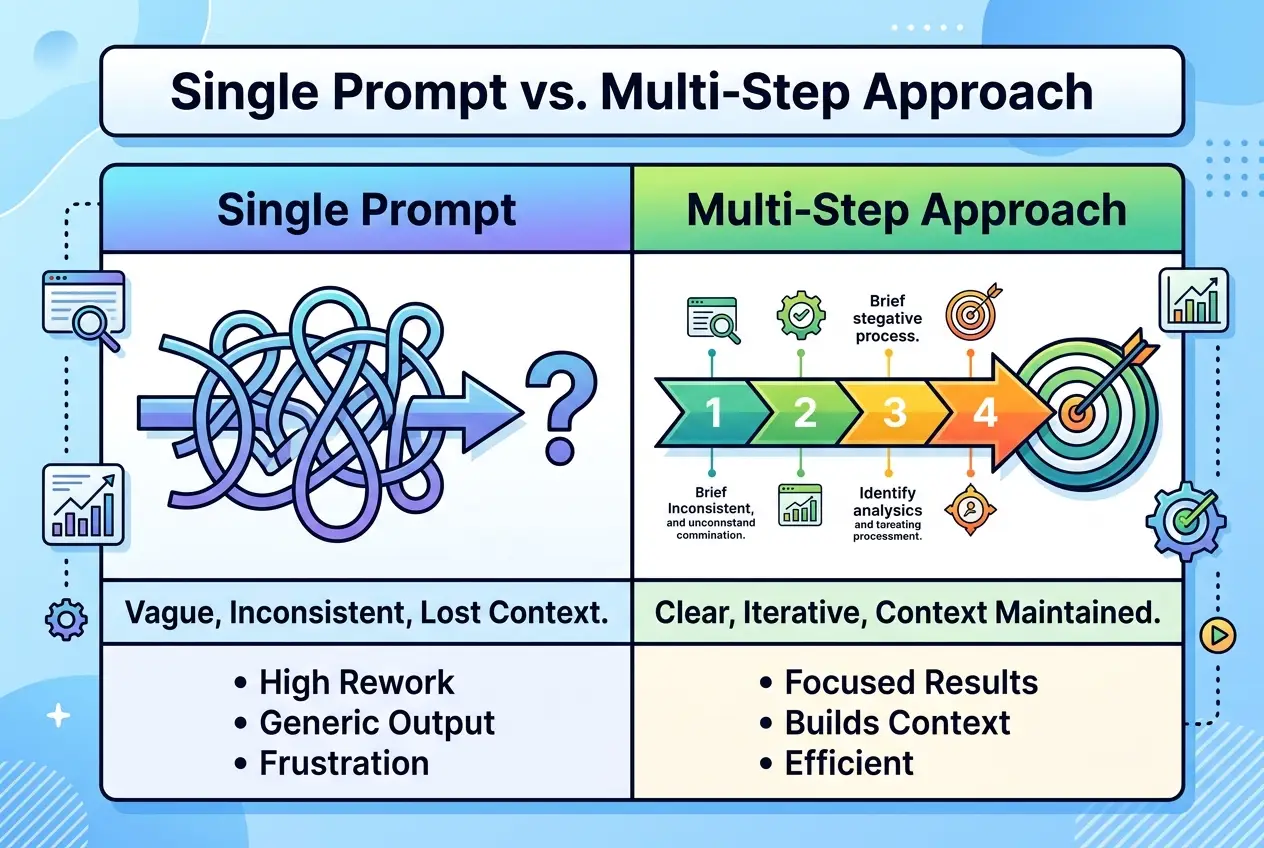
Many of us approach AI with a "one-and-done" prompting mentality. We fire off a single, often long and convoluted, prompt and expect a perfect, comprehensive output for a multi-faceted task. When that doesn't work, we try again with another single prompt. This is like trying to build a house by just saying "build a house" once to a contractor. They'll probably give you a general idea, but never the detailed blueprint you need.
This approach is inefficient and leads to:
- Fragmented Outputs: The AI only addresses the last thing you said, ignoring the broader project goal.
- Constant Re-prompting: You spend more time reminding the AI of the project's scope than making progress.
- Increased Hallucinations: When context is lost, the AI might fill in gaps with fabricated information.
- Wasted Time: You're not leveraging the AI's full potential for iterative, complex work.
Beyond the Single Prompt: The Multi-Step Workflow Mindset
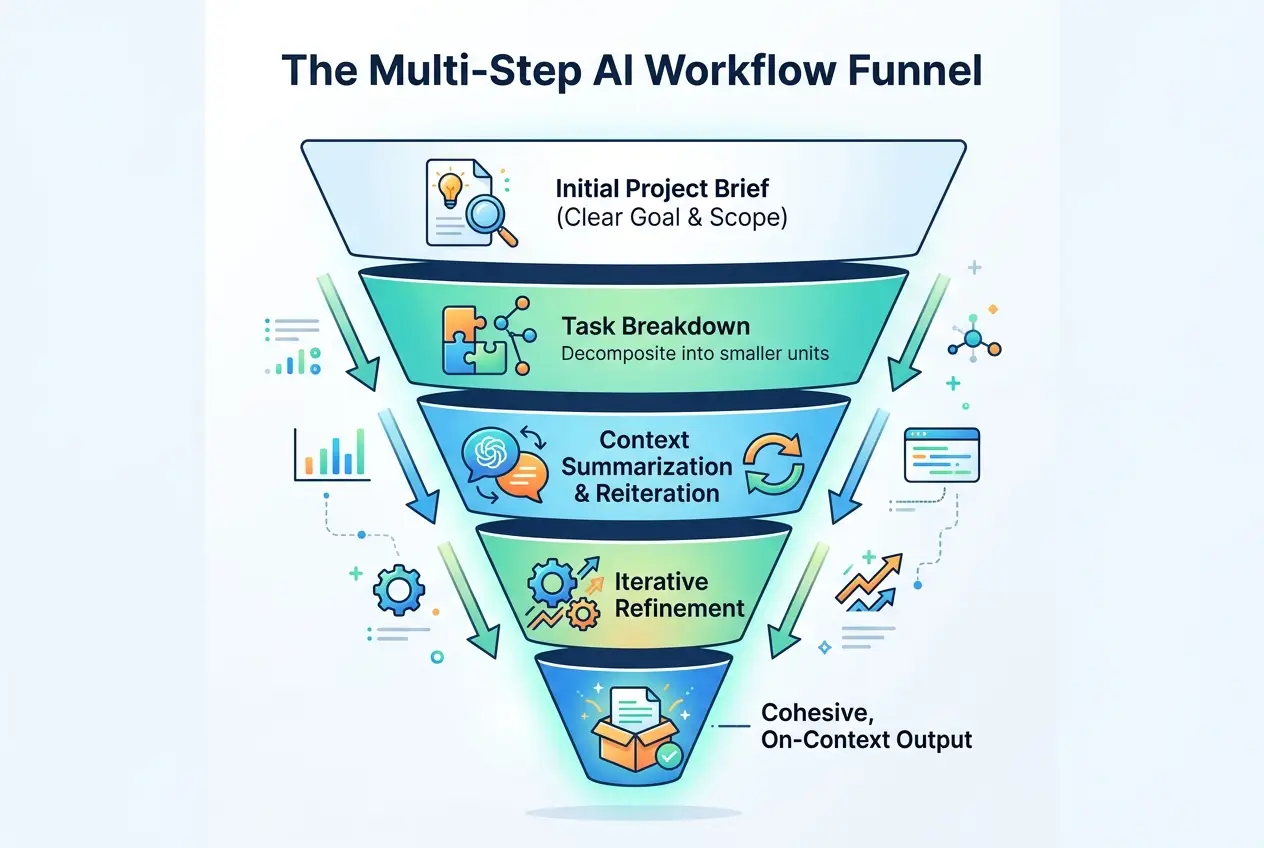
The solution isn't to cram everything into one giant prompt. It’s to embrace multi-step AI workflows, where you guide the AI through a project, piece by piece, ensuring critical context is retained and reinforced. This is the difference between getting a rough draft and a polished, project-ready deliverable.
I started seeing dramatic improvements in my AI-generated content and code once I shifted from seeing AI as a vending machine to viewing it as a highly capable, albeit sometimes forgetful, junior colleague. My workflow transformed.
Core Principles for Context Retention
-
Define the Project Scope Clearly (Upfront & Repeatedly): Before you even start, clearly state the overarching goal and scope. Don't assume the AI will infer it. This is why your AI starts writing about marketing when you asked for a technical spec.
text**Prompt Example (Initial Project Brief):** "We are developing a new mobile app for personal finance tracking. My goal is to create a detailed project plan, including phases, key features, technology stack recommendations, and a rough timeline. This will be a multi-step conversation. Do you understand the overall objective?" -
Break Down Tasks into Manageable Chunks: Instead of asking for "the entire marketing plan," ask for "Section 1: Executive Summary," then "Section 2: Target Audience Analysis," and so on. This prevents the context window from overflowing. Each chunk is a step in a larger process, maintaining a clear path, similar to how project management methodologies emphasize breaking down work.
-
Summarize and Reiterate Key Context: Before moving to a new section or a complex sub-task, provide a quick recap of what's been discussed and why it's relevant to the next step.
text**Prompt Example (Context Reiteration):** "Based on our previous discussion about user personas for the finance app, now generate 5 key features for the app that directly address the pain points of the 'Budget-Conscious Millennial' persona. Remember, the app's core mission is to simplify budgeting and investment tracking."This simple act of reinforcing the goal keeps the AI focused. This is why your teammate's AI output looks better than yours – they're constantly reminding it of the bigger picture.
-
Leverage Chat Threads/Sessions Wisely: If your AI tool allows for separate chat threads or sessions, use them to your advantage. Dedicate one thread to a specific sub-project (e.g., "App Marketing Plan," "Technical Specification," "UI/UX Brainstorm"). This ensures context for that specific area is maintained, even if you switch to a different project. This mirrors how a human team might use separate communication channels for distinct work streams.
-
Use System Instructions/Custom Instructions: Many advanced AI tools allow you to set "system instructions" or "custom instructions" that persist across interactions. Use these to bake in your persona, the project's overarching goal, tone, and any non-negotiable constraints. This acts as a constant, underlying layer of context the AI refers to. This is a powerful, often underutilized feature for long-term projects or specific roles.
 Stop AI Forgetting: Master Multi-Step AI Projects
Building a Multi-Step AI Project: A Practical Example
Let's imagine you need to create a comprehensive content strategy for a new SaaS product.
Traditional (Ineffective) Approach:
"Write me a content strategy for a SaaS product that offers AI-powered multi-model chat, image generation, code assistance, and team collaboration." Result: Generic strategy, misses nuances, requires heavy editing.
Multi-Step Workflow Approach:
Step 1: Project Brief & Persona Definition
"My goal is to develop a comprehensive content strategy for a new SaaS platform. This platform offers multi-model chat, image generation, code assistance, and team collaboration in one place. I need a strategy that covers blog topics, social media angles, and email campaigns. This will be an iterative process. First, let's define our primary target persona. Describe a common pain point they experience that our platform solves."
(AI responds with persona details)
Step 2: Content Pillars & Themes (Based on Persona)
"Excellent. Based on the 'Frustrated Freelancer' persona we just defined, what are 3-5 core content pillars or themes that would resonate most strongly with them, focusing on solving their pain points with our multi-model AI features?"
(AI responds with content pillars)
Step 3: Blog Topic Ideation (First Pillar)
"Okay, for the content pillar 'Streamlining AI Workflows,' generate 10 blog topic ideas that address how our multi-model capabilities can specifically help 'Frustrated Freelancers.' Ensure each topic highlights a practical problem our platform solves."
(AI provides blog topics)
Step 4: Deep Dive - Blog Outline & Hook
"From the list, I choose 'Why Your AI Forgets Your Instructions (And How to Prevent It).' Now, provide a detailed outline for this blog post, including a compelling hook and sub-sections that cover common user frustrations and actionable solutions. Remember the 'Frustrated Freelancer' who needs efficient workflows."
(AI provides detailed outline)
Notice how each step builds on the previous one, reinforcing the context of the SaaS product, the target persona, and the specific content pillar. This iterative process, often referred to as scaffolding in learning, ensures the AI stays on track and delivers highly relevant output.
Internal Linking Strategy for AI Workflows:
To truly master AI workflows, understanding prompt engineering is key. Learn more about crafting effective initial prompts in our post on You've Been Prompting AI Wrong This Whole Time. And for broader productivity gains, explore How to Cut Your Team's Meeting Notes to Zero With AI.
Tools That Help with Context
Platforms that offer multi-model chat can be particularly effective for managing multi-step projects. You might find that one model excels at creative brainstorming (e.g., for content ideas), while another is better suited for structured data analysis (e.g., for performance metrics). The ability to switch between models while maintaining a persistent understanding of the overall project objective can significantly enhance your workflow. This is why switching models mid-conversation on less integrated platforms can kill your results, as context might not transfer seamlessly.
 Stop AI Forgetting: Master Multi-Step AI Projects
The Payoff: Cohesive, High-Quality Outputs
By adopting a multi-step workflow, you're not just getting better AI outputs; you're fundamentally changing how you work with AI. You become less of a command-giver and more of a project manager, strategically guiding the AI through complex tasks. The result? More accurate, more cohesive, and ultimately, more valuable deliverables. If you're using AI daily, one workflow change this week could save you hours. Start with the smallest, most repetitive task you have, and apply these multi-step principles.
Frequently asked questions
What is a context window in AI, and why does it matter?
How does a multi-step AI workflow differ from single prompting?
Can using different AI models affect context retention?
Are there specific tools or features that help maintain AI context?
What's the immediate benefit of switching to a multi-step AI workflow?
We build VirtuaChat and write about getting real work done with AI — prompting, models, images and audio.