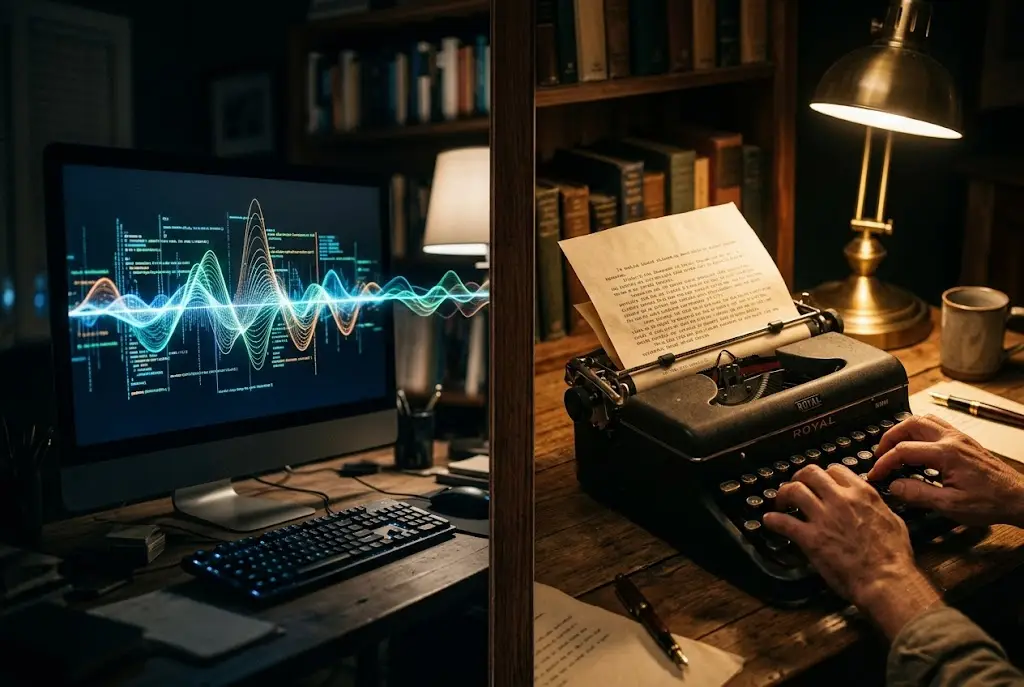
You hit send on a draft generated by AI. It looks grammatically flawless.
But the second you read it out loud, a strange feeling sets in. It sounds like an enthusiastic corporate brochure that was written by a committee.
I used to hit this exact wall every single day. I would ask an AI model to write an essay, a newsletter, or a feature pitch, and the output would immediately betray itself with telling phrases like "in today's fast-paced digital landscape" or "it is worth noting that."
The issue isn't that large language models are bad at grammar. The issue is that they are mathematically trained to be predictable.
When you understand why machines write this way, fixing it becomes shockingly straightforward.
The Hidden Mechanics of Robotic AI Text
To fix robotic writing, you first need to understand how Natural language processing models construct text behind the scenes.
When an AI generates a sentence, it doesn't hold a complete thought in its head like a human author does. Instead, it predicts the next word based on statistical probability, much like an advanced Markov chain.
As researchers at MIT News point out, generative models create content by identifying and replicating statistical patterns within vast datasets.
Because the model picks words near the center of the probability distribution curve, it defaults to the safest, most neutral option every single time.
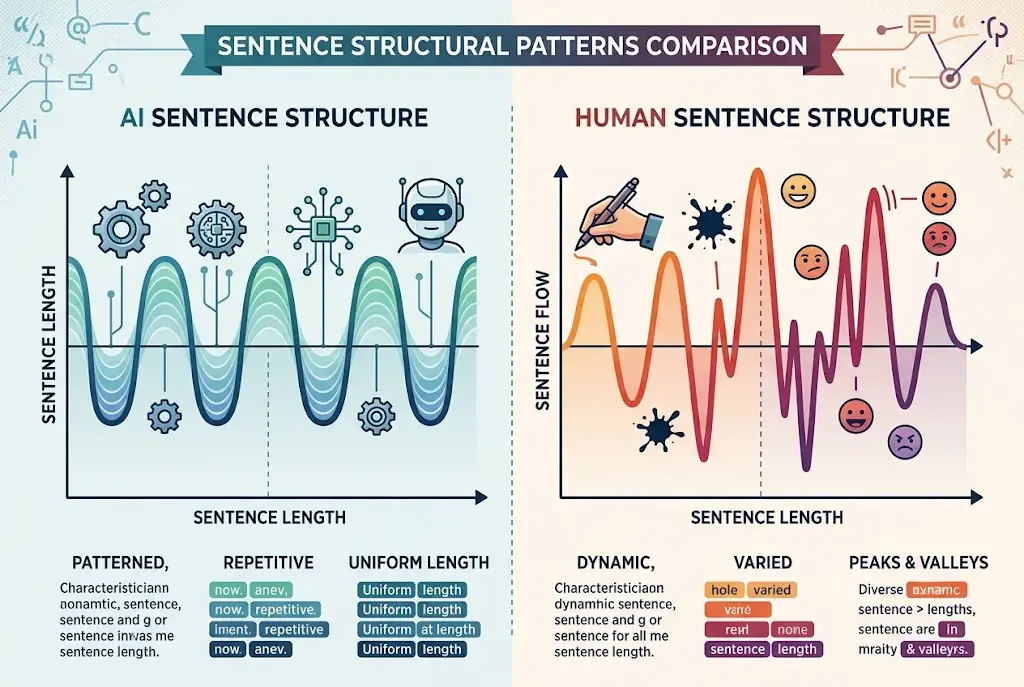
This creates two distinct statistical flaws that human readers catch instantly: low perplexity and flat burstiness.
AI Output = Low Perplexity + Monotonous Burstiness (Predictable & Repetitive)
Human Output = High Perplexity + Dynamic Burstiness (Surprising & Rhythmic)
This is why your team can immediately spot an AI-written email without running it through an AI detector.
Understanding Perplexity and Burstiness
In computational linguistics, perplexity measures how unpredictable a sequence of words is.
Human writers constantly use unexpected metaphors, colloquialisms, and sharp transitions. AI, on the other hand, chooses high-probability tokens, making its phrasing mathematically safe and predictable.
Burstiness measures the variation in sentence length and structure across a piece of writing.
Humans write in irregular bursts. We drop a three-word sentence. Then we follow it up with a long, sweeping thought that builds complex momentum across several clauses before stopping short.
According to linguistic analysis cited by QuillBot Research, machine-generated text almost always fails the burstiness test because it produces sentences of uniform length (15 to 22 words) back-to-back.
 Why AI Writing Sounds Robotic (And How to Fix It)
The 4 Unmistakable AI Writing Habits
If you want your content to sound human, you must actively strip out the default stylistic quirks of generative models.
I tracked over 100 AI writing outputs across different models, and four specific habits kept surfacing repeatedly:
- The Transition Stacking Trap: Overusing transition words like Furthermore, Moreover, In conclusion, and Additionally at the start of every paragraph.
- The Dramatic Qualifier Obsession: Excessive reliance on adjectives like pivotal, crucial, comprehensive, vibrant, and game-changing.
- The Symmetrical Paragraph Structure: Writing every paragraph in precisely three sentences: an intro, an elaboration, and a summary sentence.
- The False Resolution Wrap-Up: Ending every short section with a platitude like "By leveraging these strategies, you can unlock your full potential."
This is why your draft feels repetitive even when you think you are prompting your model correctly.
Here is a quick breakdown comparing raw AI drafts with human-tuned alternatives:
| Linguistic Element | Raw AI Output | Human-Tuned AI Output |
|---|---|---|
| Sentence Variety | Equal length (18–20 words) | Extreme mix (3 to 35 words) |
| Vocabulary | Safe, formal, abstract | Specific, visceral, concrete |
| Transitions | "Furthermore", "Moreover" | Conversational pauses, direct joins |
| Pacing | Steady metronome | Fast acceleration and abrupt stops |
As Ethan Mollick, Wharton professor and author of Co-Intelligence, notes: "Treat the AI like a brilliant intern. If you don't give it precise voice constraints, it defaults to corporate-speak."
3 Steps to Force AI to Write Like a Human
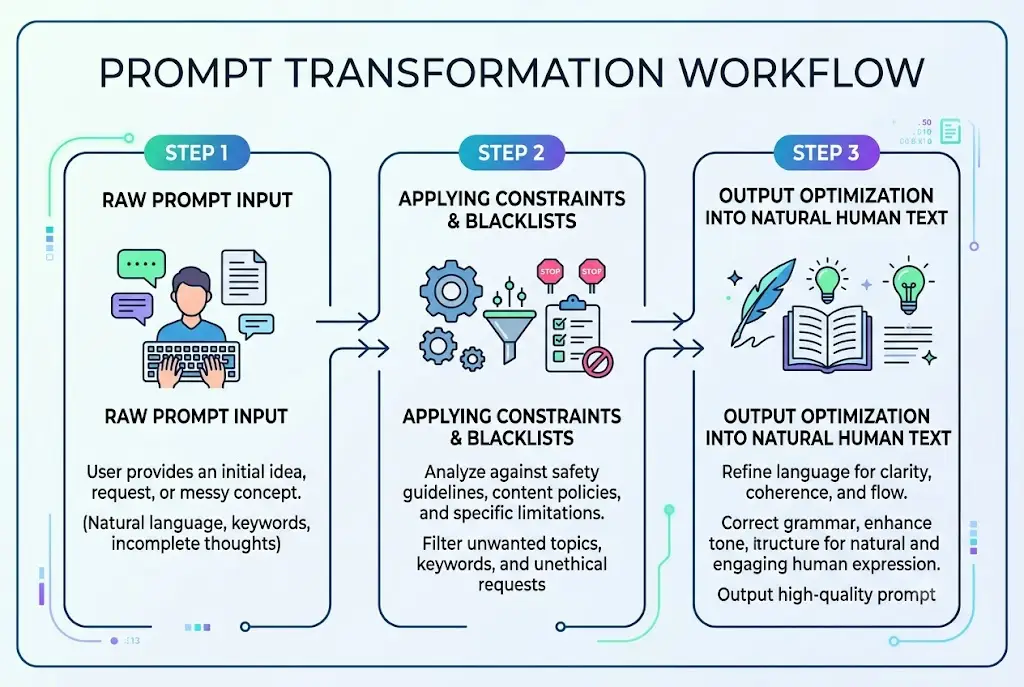
You do not need to rewrite everything by hand. You simply need to alter the structural constraints you give the AI before it generates a single word.
[System Prompt / Constraint]
    ↓
[Variable Sentence Length Rule]
    ↓
[Banned Word Blacklist]
    ↓
[Natural Human-Like Output]
Step 1: Enforce Strict Sentence Variety Constraints
You can dramatically fix sentence rhythm by explicitly instructing the model to break its default cadence.
When drafting prompts, insert structural boundary constraints like this:
STYLISTIC CONSTRAINTS:
- Vary sentence length aggressively.
- Mix 3-word punchy sentences with longer, descriptive sentences.
- Never write three sentences of similar length in a row.
- Avoid starting consecutive paragraphs with transition words like "Furthermore" or "Moreover".
When I added this single constraint to my prompt library, the readability of my AI drafts jumped immediately.
This is why your coworker's AI output sounds natural while yours feels like a textbook.
Step 2: Implement a Banned Vocabulary Blacklist
Generative AI relies heavily on a predictable bank of buzzwords. You can perform automated Stylometry analysis on your AI outputs to find your model's favorite words, then ban them outright.
Research on AI writing patterns published by Search Atlas shows that search engines and readers alike flag hyper-formal tone markers and repetitive qualifiers when they cluster unnaturally.
Add this negative constraint block to your default system prompts:
DO NOT USE THE FOLLOWING WORDS OR PHRASES:
- "In today's fast-paced world"
- "Testament to"
- "Delve into"
- "Crucial / Pivotal / Tapestry / Beacon"
- "Fostering collaboration"
- "It is important to remember that"
Eliminating these telltale signs prevents your readers from getting pulled out of the content.
Step 3: Inject Voice Benchmarking and Perplexity Anchors
Instead of asking the AI to "write in an engaging tone," provide a concrete text sample to benchmark against.
Paste a 200-word paragraph of your own writing into the chat window and ask the model to analyze its sentence cadence, punctuation usage, and vocabulary distribution before drafting.
You can also combine this with refining system instructions to ensure the AI maintains your specific voice across longer outputs without losing context or identifying hallucinated details.
Guidelines published in MIT Sloan's AI Prompting Guide emphasize that supplying explicit reference texts and negative examples reduces generic output faster than adding adjective-heavy instructions.
 Why AI Writing Sounds Robotic (And How to Fix It)
The Simple Edit That Fixes Any AI Draft in 60 Seconds
Even with pristine prompts, an AI draft usually needs one quick human editing pass.
I call this the "Out Loud Test."
Read the generated text out loud at normal speech speed. Whenever your breath hitches or you stumble over a mouthful of formal phrasing, delete that clause immediately.
Replace heavy abstract words with concrete nouns. Turn passive sentences into active ones. Cut the introductory paragraph's first sentence entirely—AI almost always writes a fluff opening sentence that adds zero value.
If you are already using AI daily in your writing workflow, making these structural prompt adjustments today will save you hours of tedious editing tomorrow. Pick one robotic habit from this guide and eliminate it from your very next prompt.
Frequently asked questions
Why does AI writing use words like 'delve' and 'tapestry' so frequently?
Does making AI text sound more human prevent false positives on AI detectors?
Can I save these writing constraints directly inside AI chat setups?
Is it better to rewrite AI drafts manually or reprompt the model?
We build VirtuaChat and write about getting real work done with AI — prompting, models, images and audio.